;
};
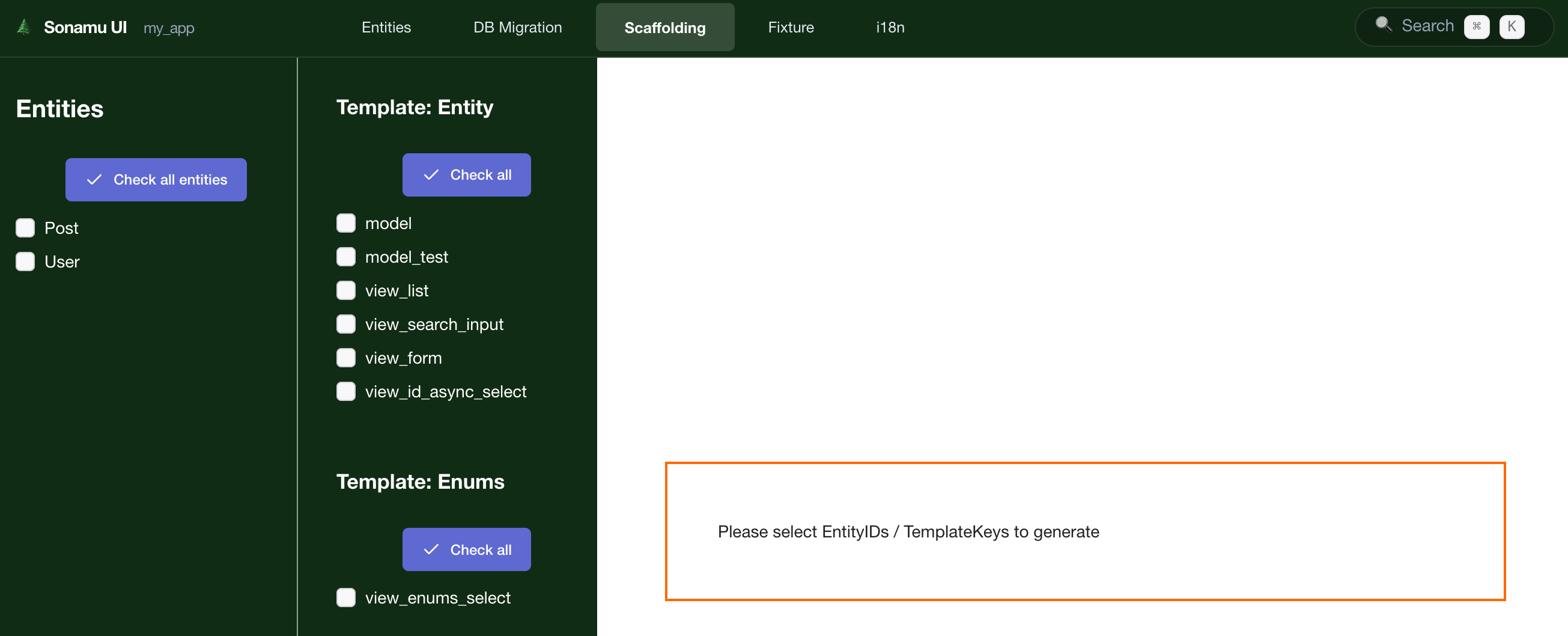
In the Scaffolding tab, you can **auto-generate Model and test code based on Entities**. It provides the CLI `pnpm scaffold` command through a visual interface.
## Scaffolding Tab Structure
The Scaffolding tab consists of two main areas:
* **Left Sidebar**: Entity list and selection checkboxes
* **Right Content**: Code generation options (Model Class, Model Test, View)
## Available Code Types
| Code Type | Description | Status | CLI Command |
| --------------- | ---------------------- | ----------------- | -------------------------- |
| **Model Class** | Model class for Entity | ✅ Available | `pnpm scaffold model` |
| **Model Test** | Model test file | ✅ Available | `pnpm scaffold model_test` |
| **View List** | List View component | 🚧 In Development | - |
| **View Form** | Form View component | 🚧 In Development | - |
View component generation is currently under development. You can generate React components
through **other Sonamu UI features**.
## Generating Model Class
### 1. Select Entity
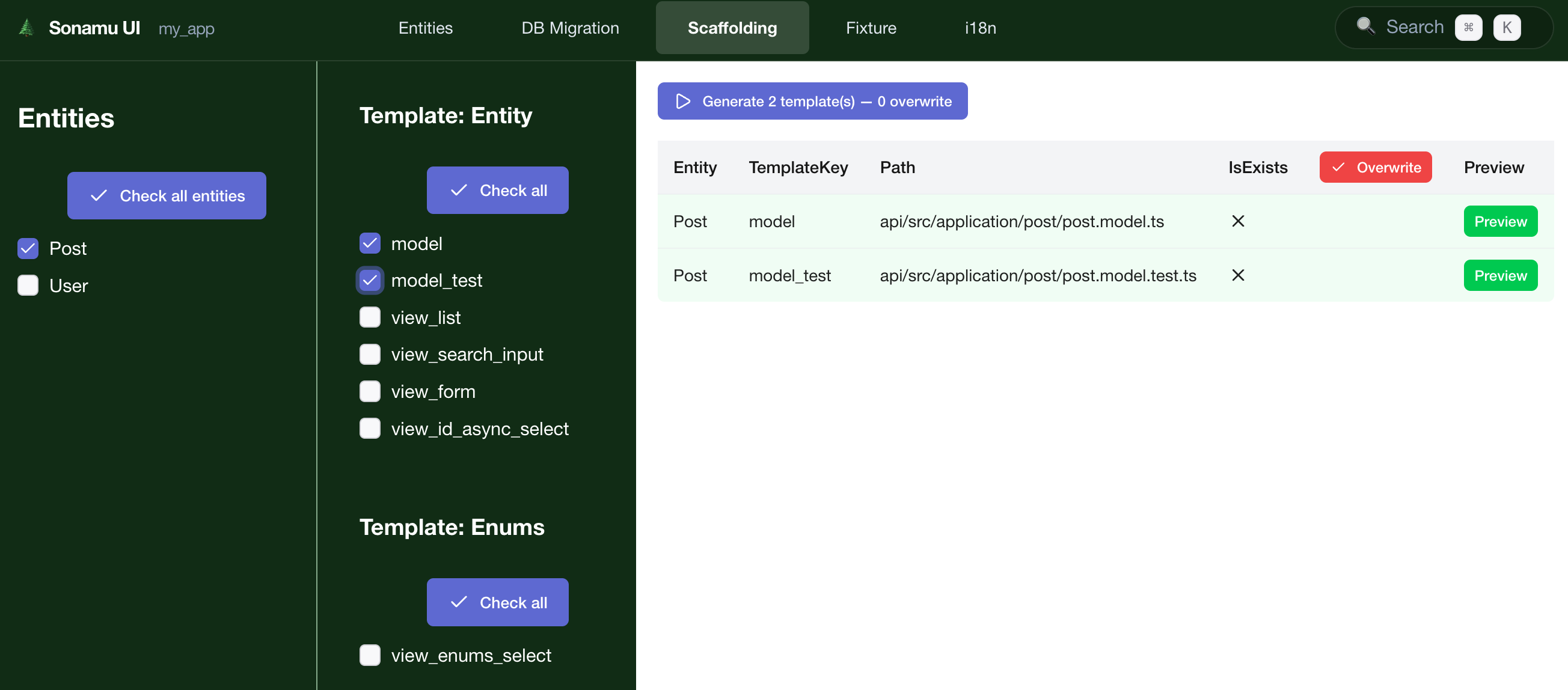
Select the Entity to generate a Model for from the left Entity list.
**Single selection**:
```
☑ User
□ Post
□ Comment
```
**Multiple selection**:
```
☑ User
☑ Post
☑ Comment
```
### 2. Select Generation Option
Check the **☑ Model Class** checkbox.
### 3. Run Generate
Click the **\[Generate]** button to create the following file:
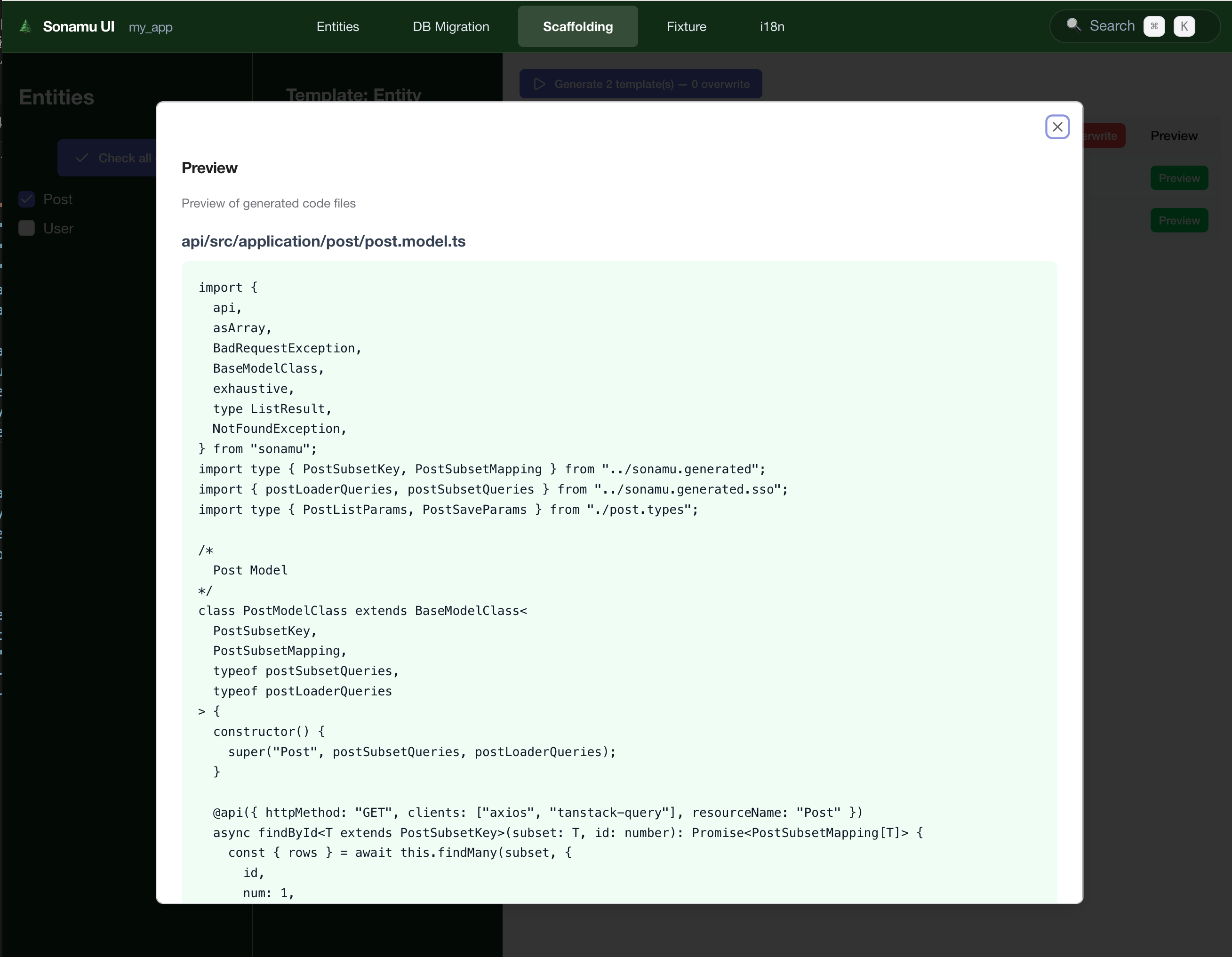
### Generated Code
```typescript title="src/models/User.model.ts" theme={null}
import { BaseModelClass } from "sonamu";
import type { InferSelectModel } from "sonamu";
import { UserEntity } from "../entities/User.entity";
import type { UserSubsetKey, UserSubsetMapping } from "../sonamu.generated";
import { userLoaderQueries, userSubsetQueries } from "../sonamu.generated.sso";
export type User = InferSelectModel;
class UserModelClass extends BaseModelClass<
UserSubsetKey,
UserSubsetMapping,
typeof userSubsetQueries,
typeof userLoaderQueries
> {
constructor() {
super("User", userSubsetQueries, userLoaderQueries);
}
// TODO: Add Model methods
}
export const UserModel = new UserModelClass();
```
**Auto-generated features**:
* ✅ TypeScript type definitions
* ✅ Entity connection
* ✅ BaseModel inheritance
* ✅ Basic CRUD methods
## Generating Model Test
### 1. Select Entity
Select Entity same as for Model.
### 2. Select Generation Option
Check the **☑ Model Test** checkbox.
**Generate Model and Test together**: You can select both Model Class and Model Test to generate
them at once.
### 3. Run Generate
Click the **\[Generate]** button to create the following file:
### Generated Code
```typescript title="src/models/User.model.test.ts" theme={null}
import { beforeAll, describe, test } from "bun:test";
import { expect } from "@jest/globals";
import { FixtureManager } from "sonamu/test";
import { UserModel } from "./User.model";
describe("User Model", () => {
beforeAll(async () => {
await FixtureManager.sync();
});
test("findById", async () => {
const user = await UserModel.findById(1);
expect(user).toBeDefined();
expect(user?.id).toBe(1);
});
test("findMany", async () => {
const users = await UserModel.findMany({
num: 10,
page: 1,
});
expect(users.rows.length).toBeGreaterThan(0);
});
// TODO: Add more tests
});
```
**Auto-generated tests**:
* ✅ `findById`: Query single record by ID
* ✅ `findMany`: List query (pagination)
## Batch Generation
### Generate for All Entities
1. Click **\[Select All]** button
2. Select generation options
3. Click **\[Generate]**
**Result**:
```
✓ User.model.ts created
✓ User.model.test.ts created
✓ Post.model.ts created
✓ Post.model.test.ts created
✓ Comment.model.ts created
✓ Comment.model.test.ts created
6 files generated successfully!
```
### Select Specific Entities Only
For all Entities during initial project setup:
```
☑ User
☑ Post
☑ Comment
☑ Category
☑ Tag
[Generate] → 10 files generated
```
For new Entity only when adding:
```
□ User (already generated)
□ Post (already generated)
☑ Product (new)
[Generate] → 2 files generated
```
## Checking Generation Results
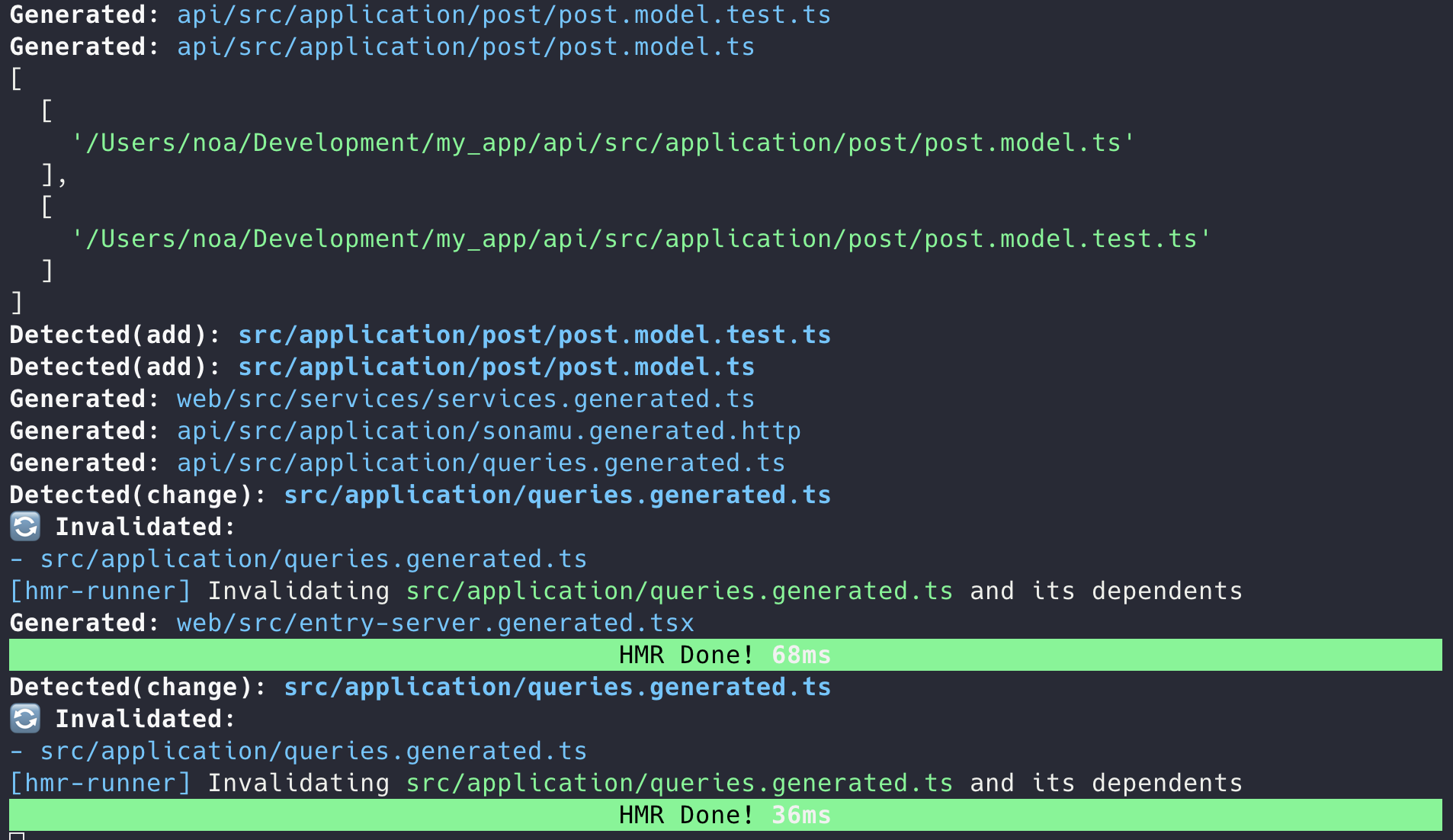
### Success Message
```
✅ Code Generation Complete
Generated files:
✓ src/models/User.model.ts
✓ src/models/User.model.test.ts
✓ src/models/Post.model.ts
✓ src/models/Post.model.test.ts
Total: 4 files
```
### File Conflict
When trying to generate files that already exist, a confirmation modal appears:
```
⚠️ Files Already Exist
The following files will be overwritten:
• src/models/User.model.ts
• src/models/User.model.test.ts
[Cancel] [Backup & Overwrite] [Overwrite]
```
**Options**:
* **Cancel**: Cancel generation
* **Backup & Overwrite**: Backup existing files as `.bak` then overwrite
* **Overwrite**: Overwrite directly (caution!)
**Code loss caution**: Overwriting existing files may delete your business logic. Backup or avoid
overwriting customized Models.
## View Generation (In Development)
View component auto-generation is currently under development.
### Alternative: Use Other Sonamu UI Features
Currently, you can manage Views through these methods:
1. **Entity-based auto-generation**: Basic View templates are provided when creating Entities
2. **Manual writing**: Write React components directly
3. **Component library**: Use `@sonamu-kit/react-components`
This document will be updated when View List and View Form generation features are added.
## Post-Generation Workflow
### 1. Add Model Methods
Add business logic to the generated Model:
```typescript title="src/models/User.model.ts" theme={null}
class UserModelClass extends BaseModelClass<
UserSubsetKey,
UserSubsetMapping,
typeof userSubsetQueries,
typeof userLoaderQueries
> {
constructor() {
super("User", userSubsetQueries, userLoaderQueries);
}
// Find user by email
async findByEmail(email: string): Promise {
return this.getPuri("r").table("users").where("email", email).first();
}
// Find only active users
async findActiveUsers() {
return this.getPuri("r").table("users").where("is_active", true).where("deleted_at", null);
}
}
```
### 2. Add Tests
Add more tests to the generated test file:
```typescript title="src/models/User.model.test.ts" theme={null}
describe("User Model - Extended", () => {
test("findByEmail", async () => {
const user = await UserModel.findByEmail("user@example.com");
expect(user).toBeDefined();
expect(user?.email).toBe("user@example.com");
});
test("findActiveUsers", async () => {
const users = await UserModel.findActiveUsers();
users.forEach((user) => {
expect(user.is_active).toBe(true);
});
});
});
```
### 3. Add API
Add API endpoints using the `@api` decorator on the Model:
```typescript theme={null}
class UserModelClass extends BaseModelClass<
UserSubsetKey,
UserSubsetMapping,
typeof userSubsetQueries,
typeof userLoaderQueries
> {
constructor() {
super("User", userSubsetQueries, userLoaderQueries);
}
@api({ httpMethod: "GET" })
async findActiveUsers() {
const { qb } = this.getSubsetQueries("A");
qb.where("is_active", true);
return this.executeSubsetQuery({
subset: "A",
qb,
params: { num: 20, page: 1 },
});
}
}
```
## Practical Tips
### 1. Initial Project Setup
```
1. Define all Entities
↓
2. Batch generate in Scaffolding tab
- [Select All]
- Model Class ☑
- Model Test ☑
- [Generate]
↓
3. Add business logic to each Model
```
### 2. Adding New Entity
```
1. Create Entity in Entity tab
↓
2. Run migration in Migration tab
↓
3. Generate only that Entity in Scaffolding tab
↓
4. Write business logic and tests
```
### 3. When Regeneration is Needed
When Entity structure changes significantly and Model needs regeneration:
```bash theme={null}
# Backup existing file
cp src/models/User.model.ts src/models/User.model.ts.bak
# Regenerate in UI
[Backup & Overwrite]
# Restore custom logic from backup file
```
## Next Steps
Learn more about Model classes
Generate code via CLI