Sonamu allows you to easily start a project using the create-sonamu package.

System Requirements

The following environment is required to use Sonamu:
  • Node.js v22 or higher
  • pnpm v10.23 or higher
  • Docker (for running the database)
If pnpm is not installed, you can enable it with the corepack enable command.
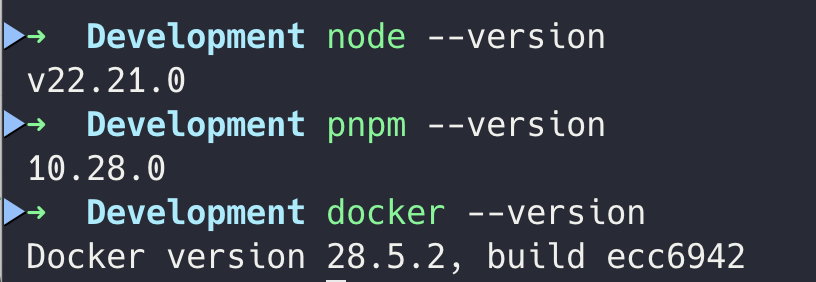
Checking Node.js, pnpm, Docker versions

Creating a Project

Run the following command in your terminal to create a new Sonamu project:
pnpm create sonamu

Inline Options

You can pass the project name as an argument or use options to skip interactive prompts:
# Specify project name directly
pnpm create sonamu myapp

# Use all default options (non-interactive)
pnpm create sonamu myapp --yes

# Explicitly specify pnpm/docker setup
pnpm create sonamu myapp --pnpm y --docker y

# Auto-proceed with pnpm only (docker prompts will appear)
pnpm create sonamu myapp --pnpm y

# Auto-proceed with docker only (pnpm prompts will appear, DB options use defaults)
pnpm create sonamu myapp --docker y

# Fully non-interactive mode (all options specified)
pnpm create sonamu myapp \
  --pnpm y \
  --docker y \
  --db-user=postgres \
  --db-password=1234 \
  --db-name=myapp \
  --container-name=myapp-pg \
  --docker-project=myapp-docker

# Specify DB options only (pnpm/docker setup will prompt)
pnpm create sonamu myapp --db-name myapp --db-password secret123
OptionDescriptionDefault
--yes, -yUse all default options-
--pnpmpnpm installation (y/n)(prompts)
--dockerDocker DB setup (y/n)(prompts)
--skip-pnpmSkip pnpm setup (same as --pnpm n)false
--skip-dockerSkip Docker DB setup (same as --docker n)false
--docker-project, --docker-pj-nameDocker Compose project name-docker
--db-userDatabase usernamepostgres
--db-nameDatabase name
--db-passwordDatabase password1234
--container-nameDocker container name-container
In --pnpm y and --docker y, you can also use yes, true, or 1 instead of y. Similarly, n can be replaced with no, false, or 0.
When the interactive prompt appears, enter your project information:
? Project name: myapp
? Would you like to set up pnpm? Yes
? Would you like to set up a database using Docker? Yes
? Enter the Docker project name: myapp-docker
? Enter the database user: postgres
? Enter the container name: myapp-container
? Enter the database name: myapp
? Enter the database password: ****
1

Enter Project Name

Enter the name of the project to create. A directory will be created with this name.
Spaces and hyphens (-) cannot be used in the project name. Use underscores (_) instead.
2

pnpm Setup

Choose whether to automatically set up pnpm. This is the recommended option.
3

Database Setup

Choose whether to set up a PostgreSQL database using Docker. If you select Yes:
  • Docker Compose project name
  • Database username
  • Container name
  • Database name
  • Database password
will be requested, and the packages/api/.env file will be automatically generated with this information.
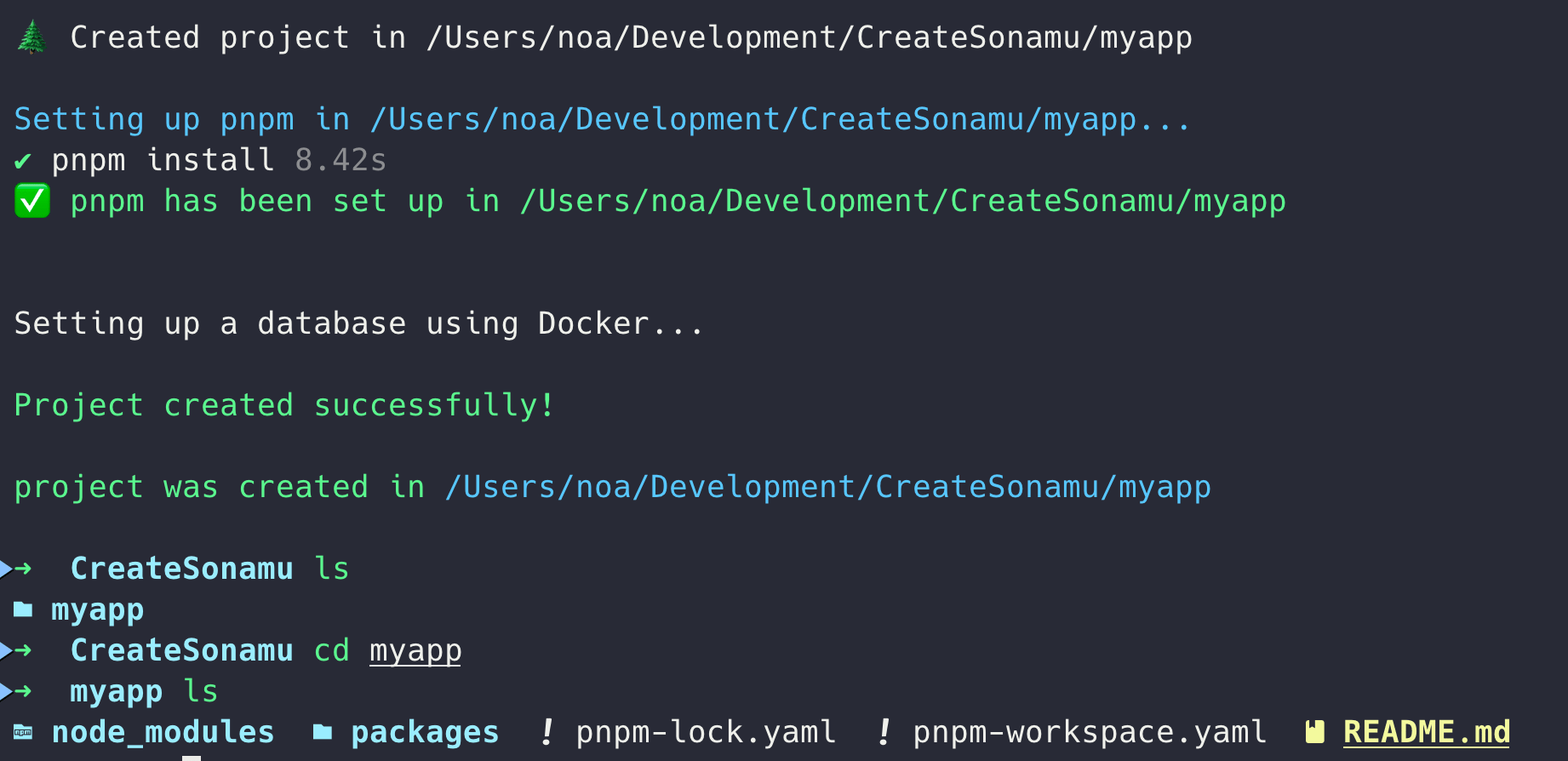
Project creation complete

Generated Project Structure

create-sonamu creates the following monorepo structure:
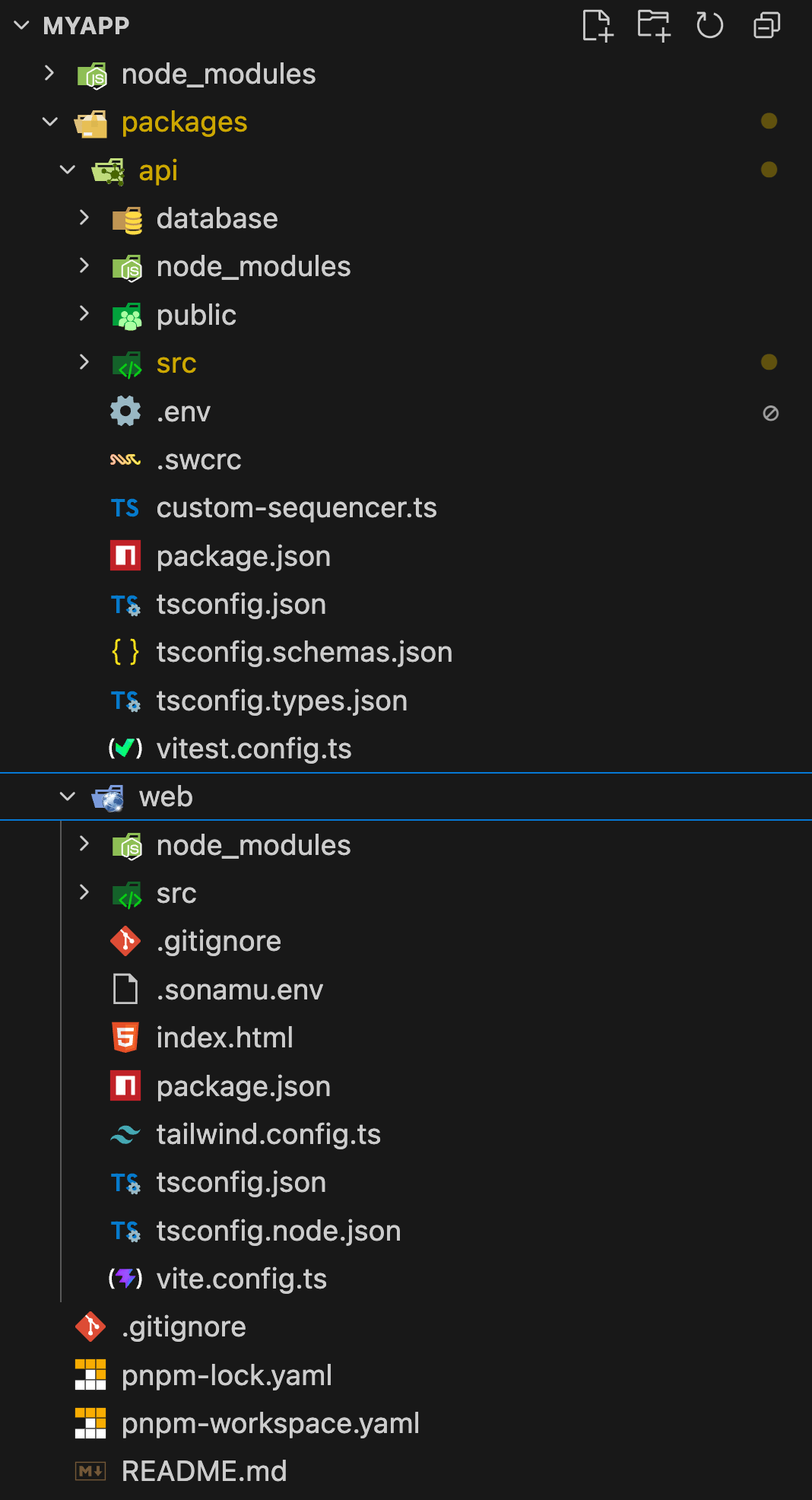
VS Code Explorer sidebar
myapp
packages
pnpm-workspace.yaml (Workspace configuration)
README.md

Key Configuration Files

pnpm Workspace

The root pnpm-workspace.yaml manages monorepo packages and common dependency versions:
pnpm-workspace.yaml
packages:
  - packages/api
  - packages/web

catalog:
  "@tanstack/react-query": ^5.90.12
  "@tanstack/react-router": 1.143.11
  react: ^19.2.3
  vite: 7.3.0
  vitest: 4.0.16
  # ... other common dependencies

API Server Entry Point

The entry point of the generated API server is as follows:
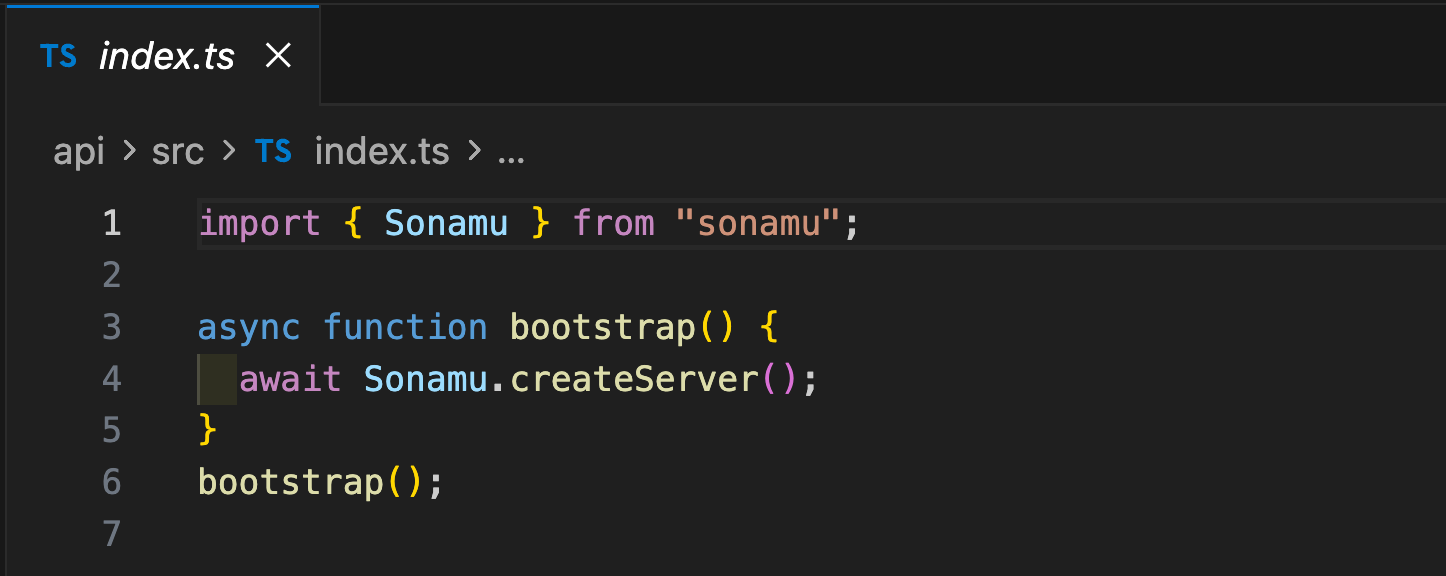
packages/api/src/index.ts file

Sonamu Configuration

Manage your project’s main settings in sonamu.config.ts:
packages/api/src/sonamu.config.ts
import path from "node:path";
import { CachePresets, defineConfig } from "sonamu";
import { drivers as cacheDrivers, store } from "sonamu/cache";
import { drivers } from "sonamu/storage";

const host = "localhost";
const port = 1028;

export default defineConfig({
  projectName: process.env.PROJECT_NAME ?? "SonamuProject",
  api: {
    dir: "api",
    timezone: "Asia/Seoul",
    route: {
      prefix: "/api",
    },
  },
  i18n: {
    defaultLocale: "ko",
    supportedLocales: ["ko", "en"],
  },
  sync: {
    targets: ["web"],
  },
  database: {
    database: "pg",
    name: process.env.DATABASE_NAME ?? "database_name",
    defaultOptions: {
      connection: {
        host: process.env.DB_HOST || "0.0.0.0",
        port: Number(process.env.DB_PORT) || 5432,
        user: process.env.DB_USER || "postgres",
        password: process.env.DB_PASSWORD,
      },
    },
  },
  server: {
    listen: { port, host },
    // ... server, storage, cache settings
    cache: {
      default: "main",
      stores: {
        main: store().useL1Layer(cacheDrivers.memory({ maxSize: "50mb" })),
      },
      ttl: "5m",
    },
  },
});

Docker Compose Configuration

PostgreSQL database is managed with Docker:
packages/api/database/docker-compose.yml
version: "3.8"
name: ${CONTAINER_NAME}
services:
  pg:
    platform: linux/arm64
    image: pgvector/pgvector:pg18
    container_name: ${CONTAINER_NAME}
    env_file:
      - ../.env
    volumes:
      - ./fixtures/init.sh:/docker-entrypoint-initdb.d/init.sh
    environment:
      DATABASE_NAME: ${DATABASE_NAME}
      POSTGRES_DB: template1
      POSTGRES_USER: ${DB_USER}
      POSTGRES_PASSWORD: ${DB_PASSWORD}
      TZ: Asia/Seoul
    ports:
      - "${DB_PORT}:5432"

Frontend Configuration

A Vite + React + TanStack Router + SSR based application is generated:
packages/web/vite.config.ts
import tailwindcss from "@tailwindcss/vite";
import { tanstackRouter } from "@tanstack/router-plugin/vite";
import react from "@vitejs/plugin-react-swc";
import dotenv from "dotenv";
import path from "path";
import Icons from "unplugin-icons/vite";
import { defineConfig } from "vite";

dotenv.config({ path: ".sonamu.env" });

export default defineConfig(({ command, isSsrBuild }) => ({
  plugins: [
    react(),
    Icons({ compiler: "jsx", jsx: "react", autoInstall: true }),
    tailwindcss(),
    tanstackRouter(),
  ],
  resolve: {
    alias: {
      "@": path.resolve(__dirname, "./src"),
    },
  },
  server: {
    host: "0.0.0.0",
    port: 3028,
    proxy: {
      "/api": `http://${process.env.API_HOST}:${process.env.API_PORT}`,
    },
  },
  // SSR configuration included
}));

Port Configuration

Default ports are configured as follows:
ServicePortDescription
API Server1028Fastify-based REST API
Sonamu UI-http://localhost:1028/sonamu-ui
Web App3028Vite development server (SSR support)
PostgreSQL5432Database
  • Sonamu UI: Access via the API server’s /sonamu-ui path, not a separate port.
  • API server port: Modify the port constant in packages/api/src/sonamu.config.ts (in this case, also modify API_PORT in packages/web/.sonamu.env)
  • Web app port: Modify server.port in packages/web/vite.config.ts

Next Steps

Once installation is complete, follow the Quick Start guide to create your first entity and build an API.