Keyboard Shortcuts
Navigation
Autocomplete
When autocomplete triggers, navigate with arrow keys and select with Enter or Tab.

Autocomplete Trigger


Command Palette Commands
Use the following commands from the Command Palette (Cmd+Shift+P).Sonamu: Open Naite Trace Viewer
Opens the Naite Trace Viewer. Check values recorded withNaite.t() during test execution in real-time.
Opening Trace Viewer
Sonamu: Rescan Naite Keys
Rescans all Naite keys in the workspace. Useful when the key list isn’t updated or autocomplete isn’t working.Rescan Naite Keys
Context Menu
Right-clicking on a Naite key string displays the following menu:- Go to Definition: Jump to definition location
- Go to References: Display reference location list
- Peek Definition: Preview definition inline
- Peek References: Preview references inline
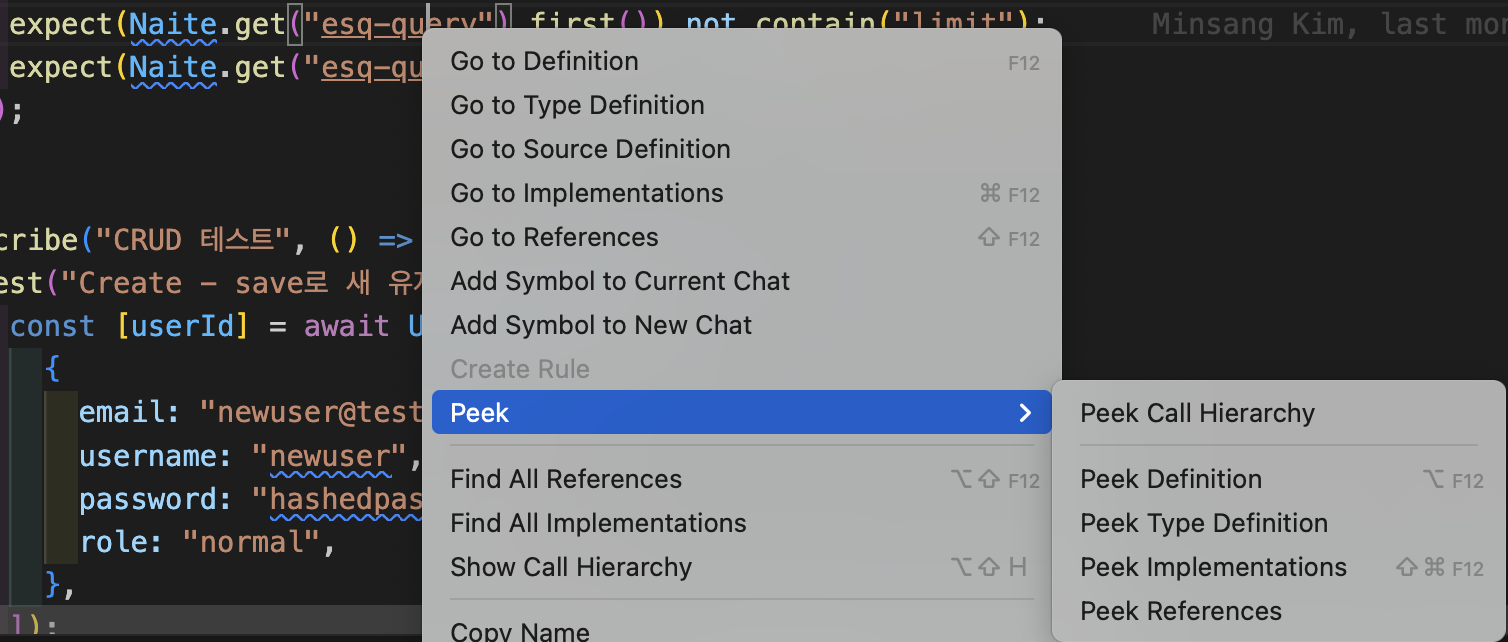
Context Menu
Changing Shortcuts in Settings
You can customize shortcuts in VS Code settings:- Open Command Palette (Cmd+Shift+P)
- Run “Preferences: Open Keyboard Shortcuts”
- Search “Sonamu” to find related commands
- Change to desired shortcuts
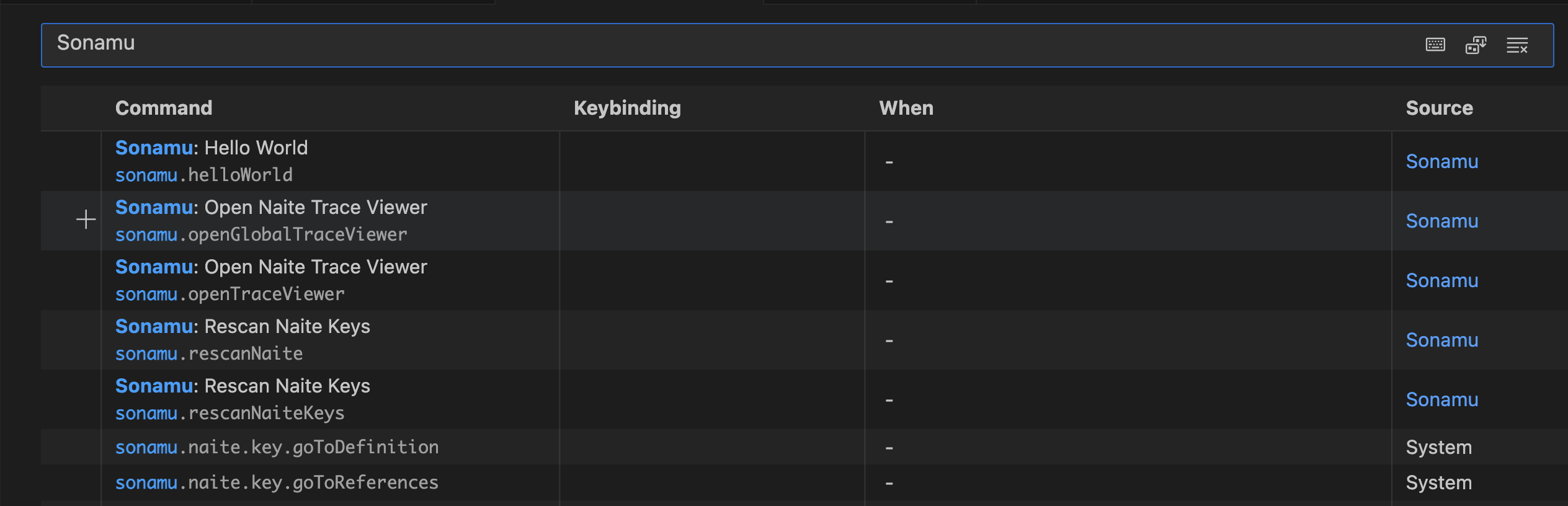
Shortcut Settings
Common Workflows
Test Writing Workflow
- Type
Naite.t("for key autocomplete - Run tests
- Trace Viewer opens automatically
- Click trace to check code location
- Verify values with
Naite.get()as needed
Debugging Workflow
- Add
Naite.t()to problematic section - Run tests
- Check recorded values in Trace Viewer
- Jump to location with F12
- Fix code and rerun
Key Cleanup Workflow
- Open Workspace Symbol Search with
Cmd+T - Search for key to clean up
- Check all references with Shift+F12
- Remove unused keys