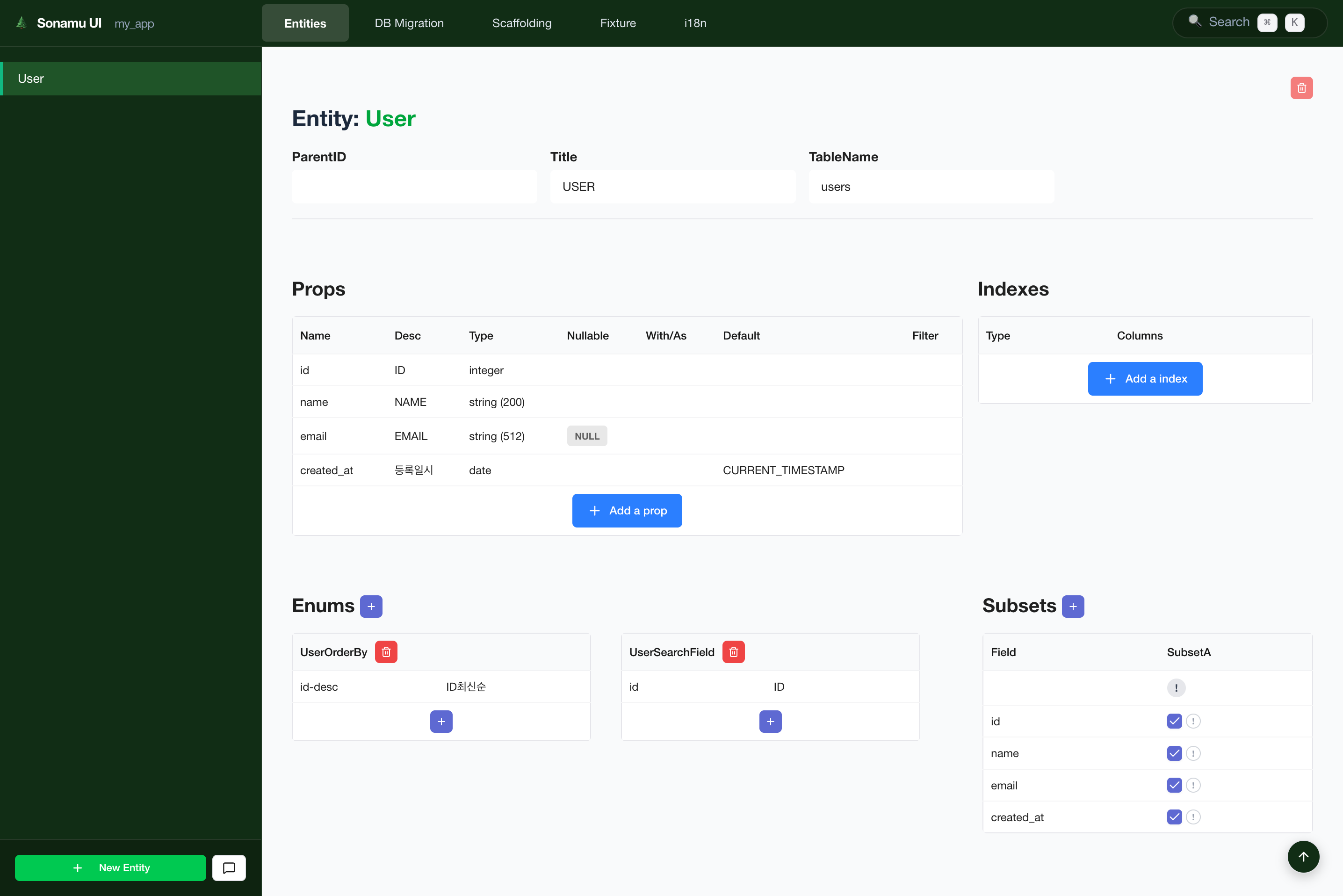
Sonamu UI is a web-based development tool for managing Entities, Migrations, Scaffolding, and Fixtures. You can perform tasks that were done via CLI with a more intuitive visual interface.

What is Sonamu UI?

Sonamu UI provides the following features:
FeatureDescriptionCLI Equivalent
Entity ManagementCreate, edit, delete Entitiespnpm stub entity
DB MigrationCreate and run migrationspnpm migrate
ScaffoldingAuto-generate Models, testspnpm scaffold
FixtureManage test datapnpm fixture
i18nManage internationalization stringsManual editing
TasksMonitor workflow execution-

How to Run

Running in Development Environment

Sonamu UI is built into the API server. No separate command is needed.
# Run API server
cd api
pnpm dev
When the API server starts, Sonamu UI is automatically served alongside it. Default URL: http://localhost:1028/sonamu-ui
Sonamu UI is served at the /sonamu-ui path of the API server without a separate port.

Typical Development Workflow

# Run API server (includes Sonamu UI)
cd api
pnpm dev

# Access in browser
# http://localhost:1028/sonamu-ui

Interface Structure

Sonamu UI consists of three main areas:

1. Global Navigation Bar (GNB)

Located at the top of the screen for quick access to main features.
MenuFunction
EntitiesCreate and edit Entities
DB MigrationManage migrations
ScaffoldingGenerate Model/Test code
FixtureManage test data
i18nManage internationalization strings
TasksMonitor workflow execution
Search (⌘K)Global search

2. Sidebar

Located on the left side, displays the item list for the currently selected menu.
  • Entities tab: Display all Entity list
  • Migrations tab: Migration file list
  • Bottom button: Add new item button (e.g., New Entity)

3. Main Content Area

The wide area in the center where you view and edit details of selected items.
  • Edit Entity properties
  • Preview migrations
  • Code generation options, etc.

Keyboard Shortcuts

ShortcutFunction
⌘K (Mac) / Ctrl+K (Windows)Open search modal
EscClose modal

Next Steps