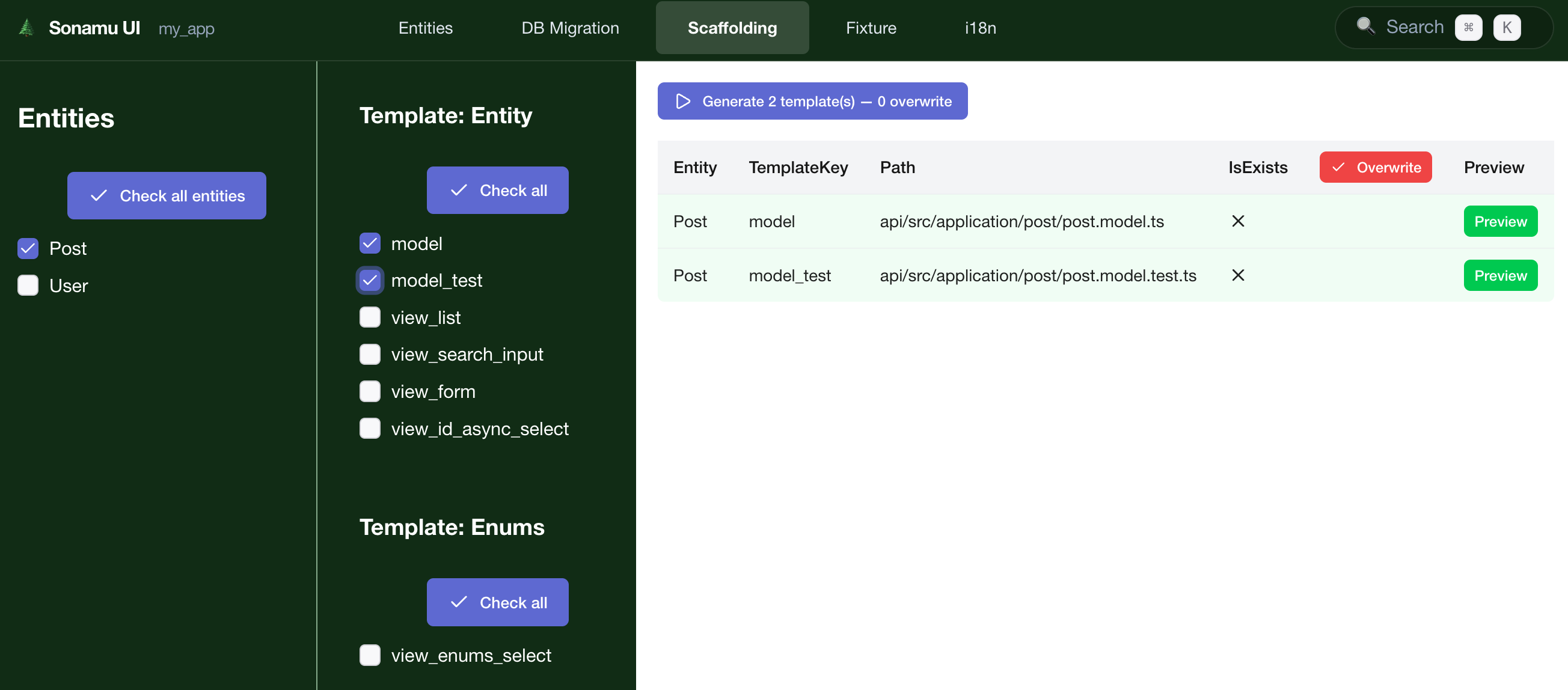
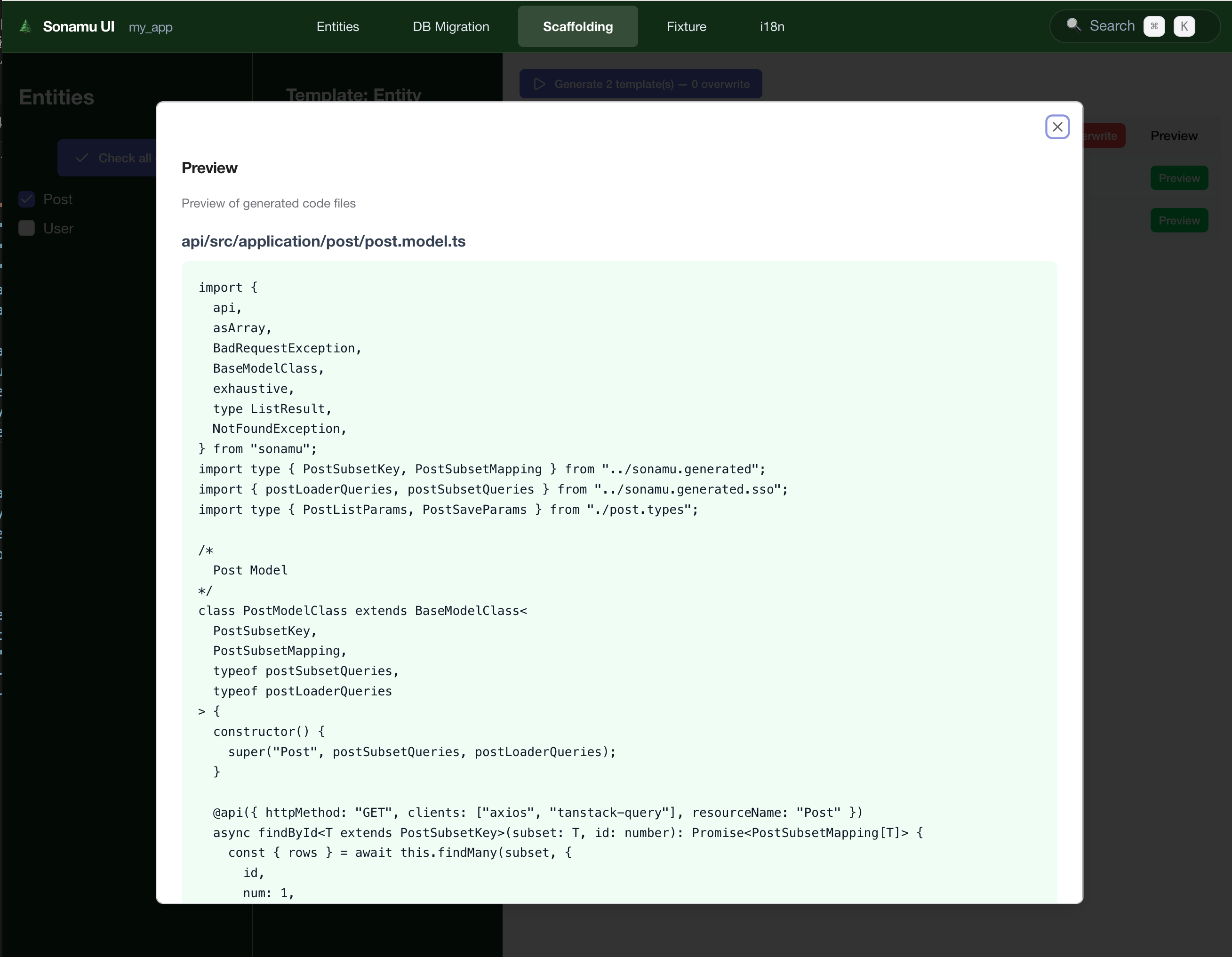
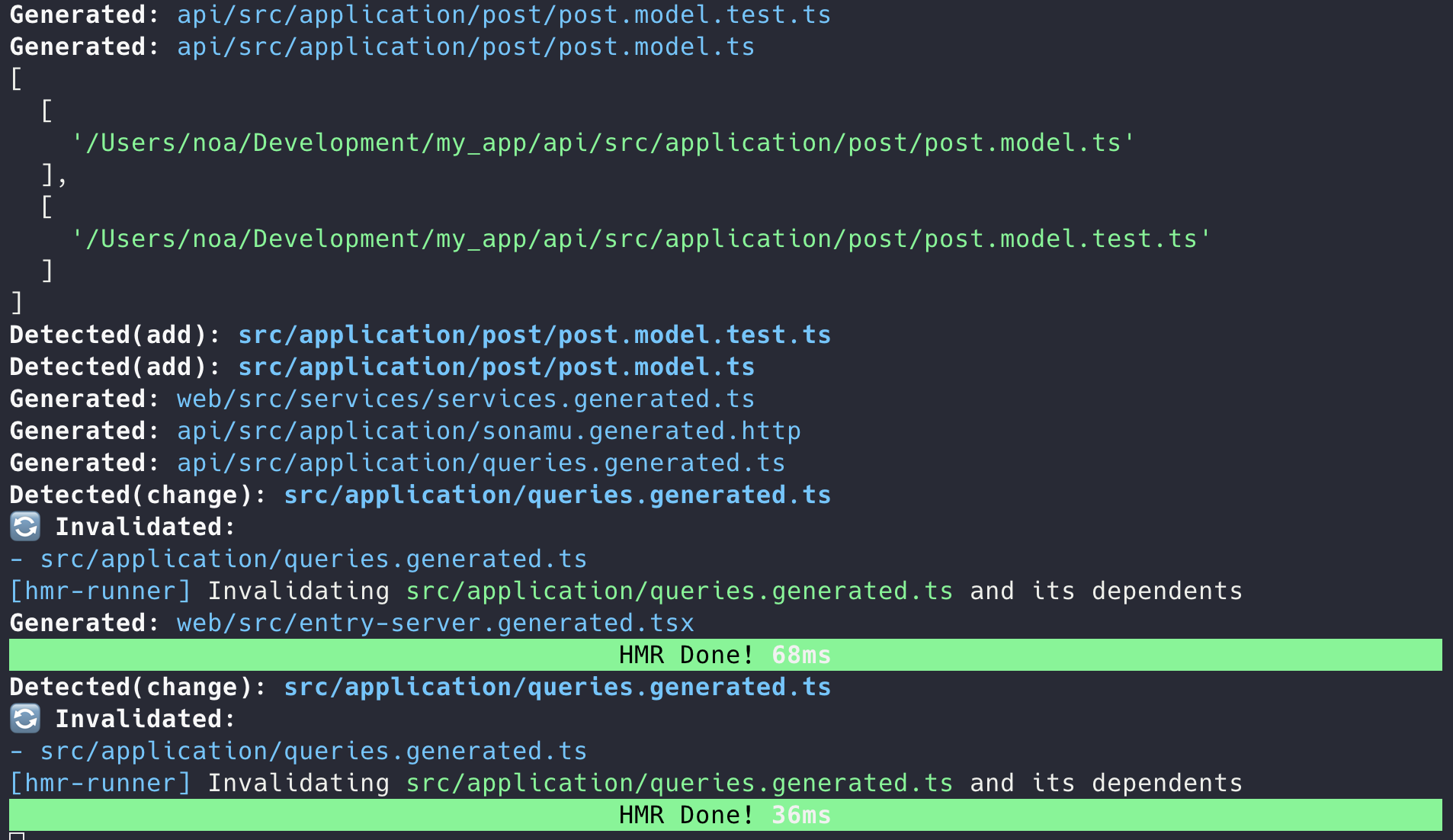
In the Scaffolding tab, you can auto-generate Model and test code based on Entities. It provides the CLI pnpm scaffold command through a visual interface.
Scaffolding Tab Structure
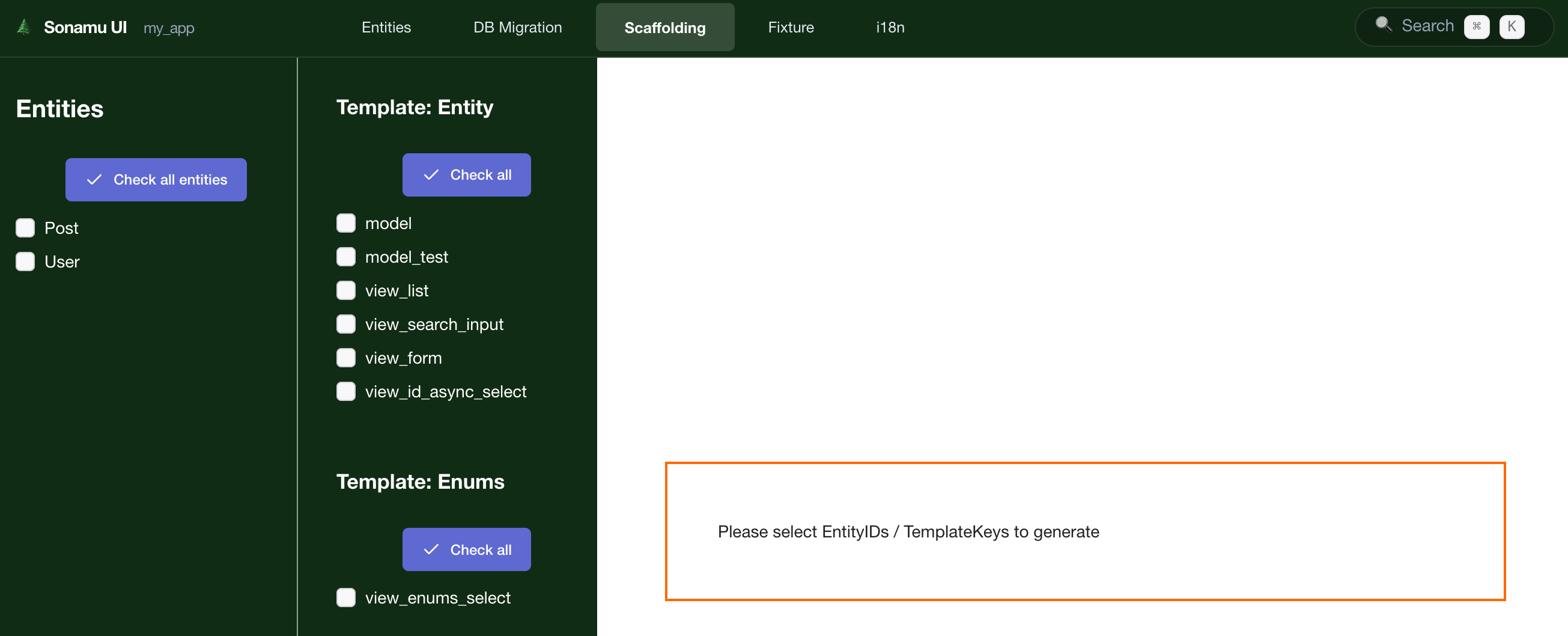
The Scaffolding tab consists of two main areas:
- Left Sidebar: Entity list and selection checkboxes
- Right Content: Code generation options (Model Class, Model Test, View)
Available Code Types
| Code Type | Description | Status | CLI Command |
|---|
| Model Class | Model class for Entity | ✅ Available | pnpm scaffold model |
| Model Test | Model test file | ✅ Available | pnpm scaffold model_test |
| View List | List View component | 🚧 In Development | - |
| View Form | Form View component | 🚧 In Development | - |
View component generation is currently under development.
You can generate React components through other Sonamu UI features.
Generating Model Class
1. Select Entity
Select the Entity to generate a Model for from the left Entity list.
Single selection:
Multiple selection:
2. Select Generation Option
Check the ☑ Model Class checkbox.
3. Run Generate
Click the [Generate] button to create the following file:
📁src/models/
📄TSUser.model.ts - User Model class
Generated Code
import { BaseModelClass } from "sonamu";
import type { InferSelectModel } from "sonamu";
import { UserEntity } from "../entities/User.entity";
import type { UserSubsetKey, UserSubsetMapping } from "../sonamu.generated";
import { userLoaderQueries, userSubsetQueries } from "../sonamu.generated.sso";
export type User = InferSelectModel<typeof UserEntity>;
class UserModelClass extends BaseModelClass<
UserSubsetKey,
UserSubsetMapping,
typeof userSubsetQueries,
typeof userLoaderQueries
> {
constructor() {
super("User", userSubsetQueries, userLoaderQueries);
}
// TODO: Add Model methods
}
export const UserModel = new UserModelClass();
Auto-generated features:
- ✅ TypeScript type definitions
- ✅ Entity connection
- ✅ BaseModel inheritance
- ✅ Basic CRUD methods
Generating Model Test
1. Select Entity
Select Entity same as for Model.
2. Select Generation Option
Check the ☑ Model Test checkbox.
Generate Model and Test together: You can select both Model Class and Model Test to generate them at once.
3. Run Generate
Click the [Generate] button to create the following file:
📁src/models/
📄TSUser.model.test.ts - User Model test
Generated Code
src/models/User.model.test.ts
import { beforeAll, describe, test } from "bun:test";
import { expect } from "@jest/globals";
import { FixtureManager } from "sonamu/test";
import { UserModel } from "./User.model";
describe("User Model", () => {
beforeAll(async () => {
await FixtureManager.sync();
});
test("findById", async () => {
const user = await UserModel.findById(1);
expect(user).toBeDefined();
expect(user?.id).toBe(1);
});
test("findMany", async () => {
const users = await UserModel.findMany({
num: 10,
page: 1,
});
expect(users.rows.length).toBeGreaterThan(0);
});
// TODO: Add more tests
});
Auto-generated tests:
- ✅
findById: Query single record by ID
- ✅
findMany: List query (pagination)
Batch Generation
Generate for All Entities
- Click [Select All] button
- Select generation options
- Click [Generate]
Result:
✓ User.model.ts created
✓ User.model.test.ts created
✓ Post.model.ts created
✓ Post.model.test.ts created
✓ Comment.model.ts created
✓ Comment.model.test.ts created
6 files generated successfully!
Select Specific Entities Only
For all Entities during initial project setup:
☑ User
☑ Post
☑ Comment
☑ Category
☑ Tag
[Generate] → 10 files generated
For new Entity only when adding:
□ User (already generated)
□ Post (already generated)
☑ Product (new)
[Generate] → 2 files generated
Checking Generation Results
Success Message
✅ Code Generation Complete
Generated files:
✓ src/models/User.model.ts
✓ src/models/User.model.test.ts
✓ src/models/Post.model.ts
✓ src/models/Post.model.test.ts
Total: 4 files
File Conflict
When trying to generate files that already exist, a confirmation modal appears:
⚠️ Files Already Exist
The following files will be overwritten:
• src/models/User.model.ts
• src/models/User.model.test.ts
[Cancel] [Backup & Overwrite] [Overwrite]
Options:
- Cancel: Cancel generation
- Backup & Overwrite: Backup existing files as
.bak then overwrite
- Overwrite: Overwrite directly (caution!)
Code loss caution: Overwriting existing files may delete your business logic.
Backup or avoid overwriting customized Models.
View Generation (In Development)
View component auto-generation is currently under development.
Alternative: Use Other Sonamu UI Features
Currently, you can manage Views through these methods:
- Entity-based auto-generation: Basic View templates are provided when creating Entities
- Manual writing: Write React components directly
- Component library: Use
@sonamu-kit/react-components
This document will be updated when View List and View Form generation features are added.
Post-Generation Workflow
1. Add Model Methods
Add business logic to the generated Model:
class UserModelClass extends BaseModelClass<
UserSubsetKey,
UserSubsetMapping,
typeof userSubsetQueries,
typeof userLoaderQueries
> {
constructor() {
super("User", userSubsetQueries, userLoaderQueries);
}
// Find user by email
async findByEmail(email: string): Promise<User | null> {
return this.getPuri("r")
.where("email", email)
.first();
}
// Find only active users
async findActiveUsers() {
return this.getPuri("r")
.where("is_active", true)
.where("deleted_at", null);
}
}
2. Add Tests
Add more tests to the generated test file:
src/models/User.model.test.ts
describe("User Model - Extended", () => {
test("findByEmail", async () => {
const user = await UserModel.findByEmail("user@example.com");
expect(user).toBeDefined();
expect(user?.email).toBe("user@example.com");
});
test("findActiveUsers", async () => {
const users = await UserModel.findActiveUsers();
users.forEach(user => {
expect(user.is_active).toBe(true);
});
});
});
3. Add API
Add API endpoints using the @api decorator on the Model:
class UserModelClass extends BaseModelClass<
UserSubsetKey,
UserSubsetMapping,
typeof userSubsetQueries,
typeof userLoaderQueries
> {
constructor() {
super("User", userSubsetQueries, userLoaderQueries);
}
@api({ httpMethod: "GET" })
async findActiveUsers() {
const { qb } = this.getSubsetQueries("A");
qb.where("is_active", true);
return this.executeSubsetQuery({
subset: "A",
qb,
params: { num: 20, page: 1 },
});
}
}
Practical Tips
1. Initial Project Setup
1. Define all Entities
↓
2. Batch generate in Scaffolding tab
- [Select All]
- Model Class ☑
- Model Test ☑
- [Generate]
↓
3. Add business logic to each Model
2. Adding New Entity
1. Create Entity in Entity tab
↓
2. Run migration in Migration tab
↓
3. Generate only that Entity in Scaffolding tab
↓
4. Write business logic and tests
3. When Regeneration is Needed
When Entity structure changes significantly and Model needs regeneration:
# Backup existing file
cp src/models/User.model.ts src/models/User.model.ts.bak
# Regenerate in UI
[Backup & Overwrite]
# Restore custom logic from backup file
Next Steps